








Yorkshire Buzz
Advertisement
  • Home
  • News
    • All
    • Business
    • Politics
    • Science
    • World
    Binance hack: Users withdraw .6bn after record crypto heist

    Binance hack: Users withdraw $3.6bn after record crypto heist

    Crypto firm Binance covers 90% of losses after .3bn hack

    Crypto firm Binance covers 90% of losses after $6.3bn hack

    West Yorkshire mayor to meet airport bosses about parkway station

    West Yorkshire mayor to meet airport bosses about parkway station

    Para-cycling World Championships: Kadeena Cox wins second gold and adds another world record in women’s C4 sprint

    Para-cycling World Championships: Kadeena Cox wins second gold and adds another world record in women’s C4 sprint

    Crypto giant Binance attempting to recover .3bn stolen in hack linked to North Korea

    Crypto giant Binance attempting to recover $6.3bn stolen in hack linked to North Korea

    Watch: What we know about Binance’s .3bn hack

    Watch: What we know about Binance’s $6.3bn hack

    Trending Tags

    • Trump Inauguration
    • White House
  • Tech
    • All
    • Apps
    • Gadget
    • Mobile
    • Startup
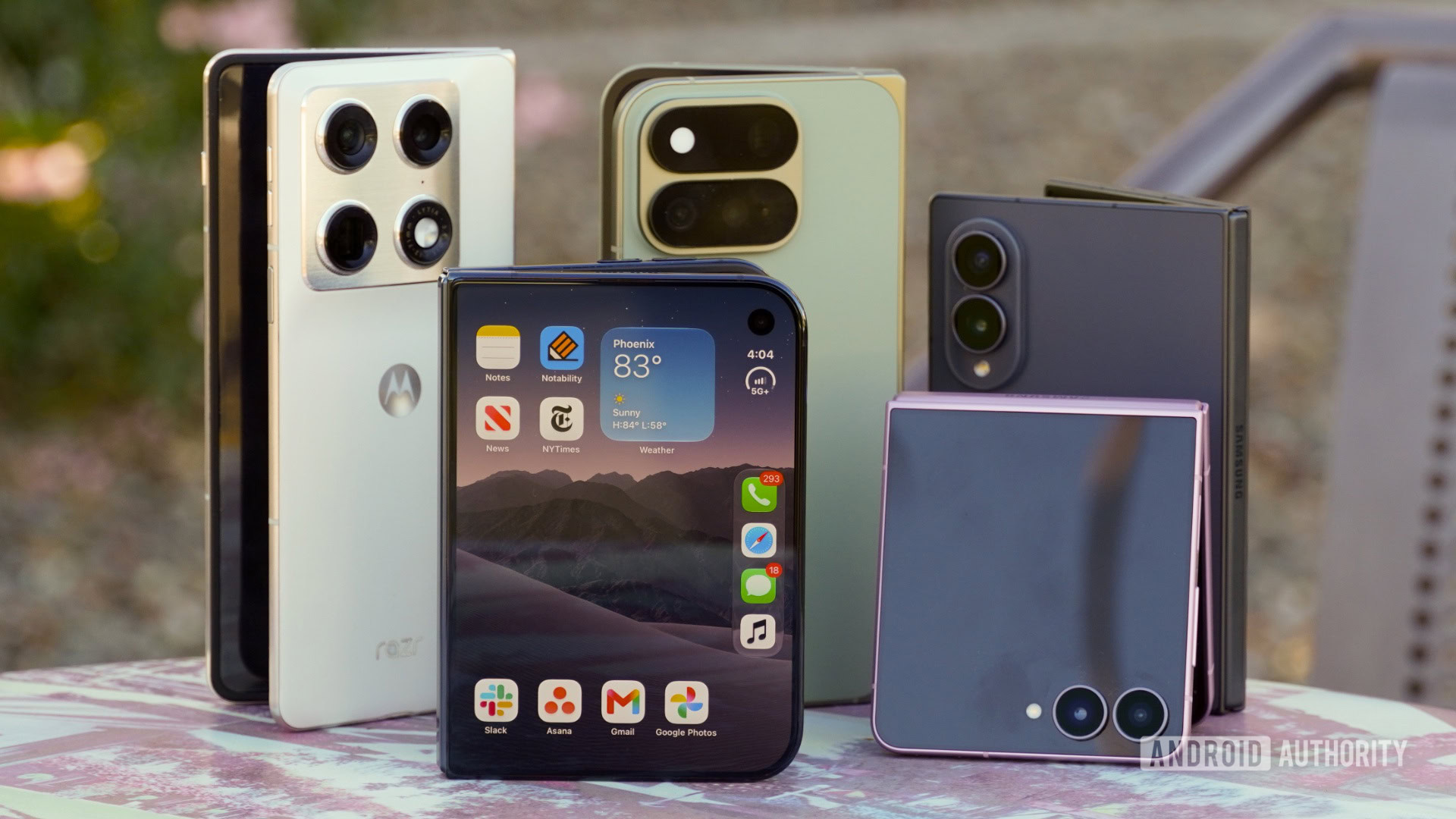
    I’ve used every Android foldable released this year. Here’s how the iPhone Duo stacks up

    I’ve used every Android foldable released this year. Here’s how the iPhone Duo stacks up

    5 of the best new Android apps you need to try this November

    5 of the best new Android apps you need to try this November

    Neoclouds: These firms you’ve never heard of are feeding fears the AI bubble could burst

    Neoclouds: These firms you’ve never heard of are feeding fears the AI bubble could burst

    A free Niagara alternative for Android

    A free Niagara alternative for Android

    Best Sunrise Alarm Clock (2026): Hatch, Lumie

    Best Sunrise Alarm Clock (2026): Hatch, Lumie

    Why North Korea’s ‘elite’ hackers are the prime suspect in major Binance hack

    Why North Korea’s ‘elite’ hackers are the prime suspect in major Binance hack

    Trending Tags

    • Nintendo Switch
    • Mark Zuckerberg
  • Entertainment
    • All
    • Gaming
    • Movie
    • Music
    • Sports
    Morgan Wallen’s Beach Party Has Room For Nelly, Flo Rida, Ying Yang Twins

    Morgan Wallen’s Beach Party Has Room For Nelly, Flo Rida, Ying Yang Twins

    This Is the It-Girl Jeans Outfit of November 2026

    This Is the It-Girl Jeans Outfit of November 2026

    Tim Bradley names the one fighter who would beat Shakur Stevenson: “I got him”

    Tim Bradley names the one fighter who would beat Shakur Stevenson: “I got him”

    ‘He Went Off On Me Like Kelly Clarkson In a Toy Store.’ What Happened After Trump Dropped That Super Long Rant

    ‘He Went Off On Me Like Kelly Clarkson In a Toy Store.’ What Happened After Trump Dropped That Super Long Rant

    How to Clean Out Your Closet in 2026, According to Experts

    How to Clean Out Your Closet in 2026, According to Experts

    Ciara Mageean: Ireland’s European 1500 metres gold medallist dies at the age of 34 after battling cancer | Athletics News

    Ciara Mageean: Ireland’s European 1500 metres gold medallist dies at the age of 34 after battling cancer | Athletics News

  • Lifestyle
    • All
    • Fashion
    • Food
    • Health
    • Travel
    Lagos Fashion Week 2026 Wraps Four Days of African Fashion

    Lagos Fashion Week 2026 Wraps Four Days of African Fashion

    Price, Plans, Is It Worth It

    Price, Plans, Is It Worth It

    Sephora Sale Shoppers With Taste Know About These 18 Picks

    Sephora Sale Shoppers With Taste Know About These 18 Picks

    Instant Pot Chili (Without the Burn Notice)

    Instant Pot Chili (Without the Burn Notice)

    Gigi’s Tartan-Skirt-and-Brown-Boot Combo Is the Coolest Formula

    Gigi’s Tartan-Skirt-and-Brown-Boot Combo Is the Coolest Formula

    Bindiyan Festival in Kabayan, Benguet

    Bindiyan Festival in Kabayan, Benguet

    Trending Tags

    • Golden Globes
    • Game of Thrones
    • eSports
  • Review
    Elegoo M1 Ultra 3D Scanner review

    Elegoo M1 Ultra 3D Scanner review

    Asus Googlebook 14 Review – Trusted Reviews

    Asus Googlebook 14 Review – Trusted Reviews

    Movavi Video Editor 27 review

    Movavi Video Editor 27 review

    Paleblue Voyager C USB-C Review

    Paleblue Voyager C USB-C Review

    Resident Evil 4 for Nintendo Switch 2 review: a good, but imperfect port

    Resident Evil 4 for Nintendo Switch 2 review: a good, but imperfect port

    Asus ProArt P16 (2026, RTX Spark) Review

    Asus ProArt P16 (2026, RTX Spark) Review

No Result
View All Result
  • Home
  • News
    • All
    • Business
    • Politics
    • Science
    • World
    Binance hack: Users withdraw .6bn after record crypto heist

    Binance hack: Users withdraw $3.6bn after record crypto heist

    Crypto firm Binance covers 90% of losses after .3bn hack

    Crypto firm Binance covers 90% of losses after $6.3bn hack

    West Yorkshire mayor to meet airport bosses about parkway station

    West Yorkshire mayor to meet airport bosses about parkway station

    Para-cycling World Championships: Kadeena Cox wins second gold and adds another world record in women’s C4 sprint

    Para-cycling World Championships: Kadeena Cox wins second gold and adds another world record in women’s C4 sprint

    Crypto giant Binance attempting to recover .3bn stolen in hack linked to North Korea

    Crypto giant Binance attempting to recover $6.3bn stolen in hack linked to North Korea

    Watch: What we know about Binance’s .3bn hack

    Watch: What we know about Binance’s $6.3bn hack

    Trending Tags

    • Trump Inauguration
    • White House
  • Tech
    • All
    • Apps
    • Gadget
    • Mobile
    • Startup
    I’ve used every Android foldable released this year. Here’s how the iPhone Duo stacks up

    I’ve used every Android foldable released this year. Here’s how the iPhone Duo stacks up

    5 of the best new Android apps you need to try this November

    5 of the best new Android apps you need to try this November

    Neoclouds: These firms you’ve never heard of are feeding fears the AI bubble could burst

    Neoclouds: These firms you’ve never heard of are feeding fears the AI bubble could burst

    A free Niagara alternative for Android

    A free Niagara alternative for Android

    Best Sunrise Alarm Clock (2026): Hatch, Lumie

    Best Sunrise Alarm Clock (2026): Hatch, Lumie

    Why North Korea’s ‘elite’ hackers are the prime suspect in major Binance hack

    Why North Korea’s ‘elite’ hackers are the prime suspect in major Binance hack

    Trending Tags

    • Nintendo Switch
    • Mark Zuckerberg
  • Entertainment
    • All
    • Gaming
    • Movie
    • Music
    • Sports
    Morgan Wallen’s Beach Party Has Room For Nelly, Flo Rida, Ying Yang Twins

    Morgan Wallen’s Beach Party Has Room For Nelly, Flo Rida, Ying Yang Twins

    This Is the It-Girl Jeans Outfit of November 2026

    This Is the It-Girl Jeans Outfit of November 2026

    Tim Bradley names the one fighter who would beat Shakur Stevenson: “I got him”

    Tim Bradley names the one fighter who would beat Shakur Stevenson: “I got him”

    ‘He Went Off On Me Like Kelly Clarkson In a Toy Store.’ What Happened After Trump Dropped That Super Long Rant

    ‘He Went Off On Me Like Kelly Clarkson In a Toy Store.’ What Happened After Trump Dropped That Super Long Rant

    How to Clean Out Your Closet in 2026, According to Experts

    How to Clean Out Your Closet in 2026, According to Experts

    Ciara Mageean: Ireland’s European 1500 metres gold medallist dies at the age of 34 after battling cancer | Athletics News

    Ciara Mageean: Ireland’s European 1500 metres gold medallist dies at the age of 34 after battling cancer | Athletics News

  • Lifestyle
    • All
    • Fashion
    • Food
    • Health
    • Travel
    Lagos Fashion Week 2026 Wraps Four Days of African Fashion

    Lagos Fashion Week 2026 Wraps Four Days of African Fashion

    Price, Plans, Is It Worth It

    Price, Plans, Is It Worth It

    Sephora Sale Shoppers With Taste Know About These 18 Picks

    Sephora Sale Shoppers With Taste Know About These 18 Picks

    Instant Pot Chili (Without the Burn Notice)

    Instant Pot Chili (Without the Burn Notice)

    Gigi’s Tartan-Skirt-and-Brown-Boot Combo Is the Coolest Formula

    Gigi’s Tartan-Skirt-and-Brown-Boot Combo Is the Coolest Formula

    Bindiyan Festival in Kabayan, Benguet

    Bindiyan Festival in Kabayan, Benguet

    Trending Tags

    • Golden Globes
    • Game of Thrones
    • eSports
  • Review
    Elegoo M1 Ultra 3D Scanner review

    Elegoo M1 Ultra 3D Scanner review

    Asus Googlebook 14 Review – Trusted Reviews

    Asus Googlebook 14 Review – Trusted Reviews

    Movavi Video Editor 27 review

    Movavi Video Editor 27 review

    Paleblue Voyager C USB-C Review

    Paleblue Voyager C USB-C Review

    Resident Evil 4 for Nintendo Switch 2 review: a good, but imperfect port

    Resident Evil 4 for Nintendo Switch 2 review: a good, but imperfect port

    Asus ProArt P16 (2026, RTX Spark) Review

    Asus ProArt P16 (2026, RTX Spark) Review

No Result
View All Result
Yorkshire Buzz
No Result
View All Result
Home Tech Apps

Samsung Galaxy Tab S9 FE problems and how to fix them

by Yorkshire Buzz
2 January 2024
in Apps
0
Samsung Galaxy Tab S9 FE problems and how to fix them
0
SHARES
8
VIEWS
Share on FacebookShare on Twitter


The Samsung Galaxy Tab S9 FE is a solid, affordable alternative to the flagship Galaxy Tab S9 series. While there are some compromises to keep the price low, particularly in the display and processor departments, it’s a good option for casual users and retains flagship highlights like the excellent S Pen. However, like any tech, the cheaper Samsung tablet isn’t free from bugs and glitches. Here’s a look at some common Galaxy Tab S9 FE problems and how to fix them.

Editor’s note: Not every Samsung Galaxy Tab S9 FE will have these problems. In fact, it’s more than likely that you won’t face any issues at all.

Problem #1: Apps crashing and random reboots

Ryan Haines / Android Authority

The Galaxy Tab S9 FE’s Exynos chipset isn’t the most powerful, but the tablet shouldn’t have problems running most apps. However, quite a few users have run across issues with some apps freezing and crashing or the device itself randomly restarting.

Potential solutions:

  • An app is likely causing the problem of random reboots. Users say that the issue doesn’t occur when in Safe Mode (you can find the instructions on how to boot into Safe Mode in the Guides section below). If your tablet works as expected in this mode, a problematic app is the culprit. Uninstall any recently installed or updated apps and see if the problem goes away. However, some users say that they were unable to pinpoint a specific app, and a Factory Reset was the only option.
  • Users say that disabling the tablet’s auto-optimization battery feature helps. Go to Settings > Battery and Device Care > Auto Optimization and toggle off Restart when needed.
  • If it’s a specific app that’s crashing, you can try clearing the app cache and storage. Go to Settings > Apps > (app name) > Storage and tap Clear Cache. If the issue persists, you can reset the app by going to Manage Storage and selecting Erase All Data.
  • Some users say that Samsung seems to have fixed the issue with the December update that brings One UI 6.0. However, if the random reboots and app crashes started after the update, you might have to wipe the cache partition to fix it.
    • To get into Recovery Mode and wipe the cache partition, you will need to turn off the device. When the tablet is off, plug it into a computer using a data cable, and then press and hold the power button and volume up key simultaneously.
    • When the Samsung logo appears, release the power button first and then the volume up key to enter Recovery Mode.
    • Using the volume keys to navigate up and down, go to Wipe Cache Partition and press the power button to confirm. Select Yes to complete the process.
    • In the previous menu, you can also go to Repair Apps if you notice apps crashing or freezing after the latest software update.
    • Once complete, select Reboot System Now to exit Recovery Mode.

Problem #2: Windows PC doesn’t recognize the tablet

samsung galaxy tab s9 fe usb c port

Ryan Haines / Android Authority

Some users run into problems with their Windows PC not recognizing the Galaxy Tab S9 FE when it’s plugged in. The tablet doesn’t show up as a drive, but it does charge.

Potential solutions:

  • If the tablet only charges when plugged into your PC or laptop, you might need to change the cable and use a data cable. Some affordable cables only allow charging and don’t support data transfers.
  • On the tablet, ensure that the default USB Mode is set to File Transfers. You can also try enabling USB Debugging in the Developer Options. If you already have USB Debugging enabled, some users say that turning it off helps instead, so some trial and error will be required.
    • To enable Developer Options, go to Settings > About Tablet > Software Information and tap the build number multiple times until you see a pop-up that says, “Developer mode has been enabled.” If you have a PIN or pattern set up, you might have to enter it to complete the process.
    • A new Developer options section should now be available at the end of the Settings menu. Open Developer options and toggle on USB Debugging.
  • The problem is likely because of older or corrupt Samsung drivers. Open the Device Manager on the PC, uninstall any Samsung driver, and restart the computer. Plug in the tablet, and your laptop should automatically install any necessary drivers. You can also manually find and install the required Windows drivers from Samsung’s Galaxy Tab S9 FE support page.

Problem #3: Samsung Book Cover Keyboard only works in DeX Mode

Samsung Galaxy Tab S9 FE Plus home screen portrait

Ryan Haines / Android Authority

DeX Mode is a useful feature that lets you enjoy a PC experience with your Galaxy Tab S9 FE when connected to external keyboards and mice. Samsung has a Book Cover Keyboard Slim for the Galaxy Tab S9 FE. However, users say that the keyboard doesn’t work when the tablet isn’t in DeX Mode.

Potential solutions:

  • A Samsung DeX setting may interfere with the keyboard working outside of DeX Mode. Go to Settings > Connected Devices > Samsung DeX and toggle off Auto Start when Book Cover Keyboard is connected. This will stop the tablet from automatically switching to DeX Mode, and the keyboard should work as expected without enabling the mode.
  • After the recent update, users are also noticing that the on-screen keyboard automatically pops up even when using a physical keyboard. This is a known bug following the latest update. Unfortunately, the only option for now is to wait for a software update to fix the issue.

The Samsung Galaxy Tab S9 FE doesn’t support DeX Mode in the traditional sense, where you can connect the tablet to an external monitor. The tablet’s USB 2.0 port doesn’t support video output, and Wireless DeX Mode doesn’t work, either.

However, the Tab S9 FE has its own take on DeX Mode, which provides a desktop-like experience when you connect the Book Cover Keyboard to the device. For now, DeX Mode for Tablets is only available when using a first-party Samsung keyboard with the device.

Problem #4: Failed software update

Samsung Galaxy Tab S9 FE Plus app drawer

Ryan Haines / Android Authority

The latest software update brings One UI 6.0 and a slew of bug fixes. However, some users ran across a failed update error after accidentally trying to download and install the update while in DeX Mode. They see an error message that says, “Samsung setup wizard can’t run in Samsung DeX. It’s designed for tablet home screens,” and the device becomes unresponsive.

Potential solutions:

  • If you’re stuck with the error message on the screen, disconnect the keyboard and force restart the tablet (press and hold the power button and the volume down key until the device reboots). Then connect the keyboard again and press the command button to open the Settings menu. Go to Connected Devices > Samsung DeX and turn off DeX Mode. Once the tablet is in Home screen mode, you can continue the update.

Problem #5: Display problems

Samsung Galaxy Tab S9 FE Plus streaming x files

Ryan Haines / Android Authority

Users have come across a few display problems on the Galaxy Tab S9 FE. Some users report ghost touches on the screen, which makes everything from gaming to even basic navigation difficult, while others say that the screen doesn’t respond to touch in certain areas. There are also issues with the display becoming unresponsive, with apps freezing or crashing. A few users have also come across screen stuttering or a completely blank screen.

Potential solutions:

  • Ghost touches on the screen could be because of the screen protector. You can try removing the screen protector to see if the issue persists. A few users say that reducing the display’s touch sensitivity helps fix the problem, even when using a screen guard. If you have enabled the feature, go to Settings > Display and toggle off Increase Touch Sensitivity. Keep the display free from smudges and fingerprints to avoid ghost touches.
  • The screen stuttering or becoming unresponsive seems to be a One UI 6.0 bug. Users say that wiping the cache partition and using the Repair Apps option in Recovery Mode does the trick (you can find the steps on how to do so in the Problem #1 section above).
  • If your screen is unresponsive, you will have to force a restart. Press and hold the power button and volume down key simultaneously until the device reboots.
  • In the case of the screen not registering touches, this issue seems to affecting users who use a magnetic cover case with the tablet. When the folio cover is folded back, the magnets appear to interfere with the display, resulting in unregistered taps. Unfortunately, the only option is to remove the case until a software fix is available.
  • If the tablet screen is completely blank and unresponsive, it is likely a hardware problem. In this case, the only option is to get it repaired or pick up a replacement.

Problem #6: Navigation buttons don’t work

Samsung Galaxy Tab S9 FE Plus home screen landscape

Ryan Haines / Android Authority

Users say that after the One UI 6.0 update, the navigation buttons (recent apps, home button, and back button) don’t work on certain screens.

Potential solutions:

  • There’s a simple workaround that seems to work for most users. Go to Settings > Display > Navigation Bar, change the button layout to the other option, and switch the button layout from right to left or vice versa. Exit the Settings menu and restart the device. Go back to the settings and change them back to your preferred choices. The navigation buttons should now work as expected.

Guides: How to boot into Safe Mode, how to factory reset

Samsung Galaxy Tab S9 FE Plus samsung badge

Ryan Haines / Android Authority

How to boot the Galaxy Tab S9 FE into and exit Safe Mode

If the tablet is on, swipe down twice from the top to open the expanded Quick Settings menu, and tap on the power icon. You can also press and hold the side key if it is set up for use as a power button. Long press the “power off” button on the screen and tap anywhere to restart the device in Safe Mode.

When the tablet is off, press and hold the power button until the Samsung logo appears. When the screen changes to “Samsung Galaxy powered by Knox,” press and hold the volume down key until it boots into Safe Mode.

Simply restart the tablet the exit Safe Mode.

How to Factory Reset the Galaxy Tab S9 FE

If the tablet is on, go to Settings > General Management > Reset and select Factory Reset. Confirm your selection by tapping Delete All.

When the tablet is off, first plug the tablet into a PC, and then press and hold the power button and volume up key together. When the Samsung logo appears on the screen, release the power button but continue to press the volume up key. Once in Recovery Mode, use the volume keys to navigate up and down. Go to Wipe data/factory reset and tap the power button to confirm your selection.


Source link

Tags: fixGalaxyproblemsSamsungTab
Previous Post

Home Secretary’s tasteless joke scrapes the barrel

Next Post

Panzerchrist Debut Pre-Release Full-Album Stream

Yorkshire Buzz

Next Post

Panzerchrist Debut Pre-Release Full-Album Stream

Leave a Reply Cancel reply

Your email address will not be published. Required fields are marked *

  • Trending
  • Comments
  • Latest
George McEachran: Chesterfield sign ex-Grimsby midfielder

George McEachran: Chesterfield sign ex-Grimsby midfielder

24 June 2026
Ticket prices set to rise by 15p as Heathrow able to recover runway project money

Ticket prices set to rise by 15p as Heathrow able to recover runway project money

29 July 2026
Best Minecraft seeds 2026 – updated for 26.1

Best Minecraft seeds 2026 – updated for 26.1

24 May 2026
All Of Beth Dutton’s Scars, Explained

All Of Beth Dutton’s Scars, Explained

23 May 2026
Doctor Who’s Christmas Special Features The Coolest Teletubbies Connection Yet, And I’m Still Shocked

Doctor Who’s Christmas Special Features The Coolest Teletubbies Connection Yet, And I’m Still Shocked

0
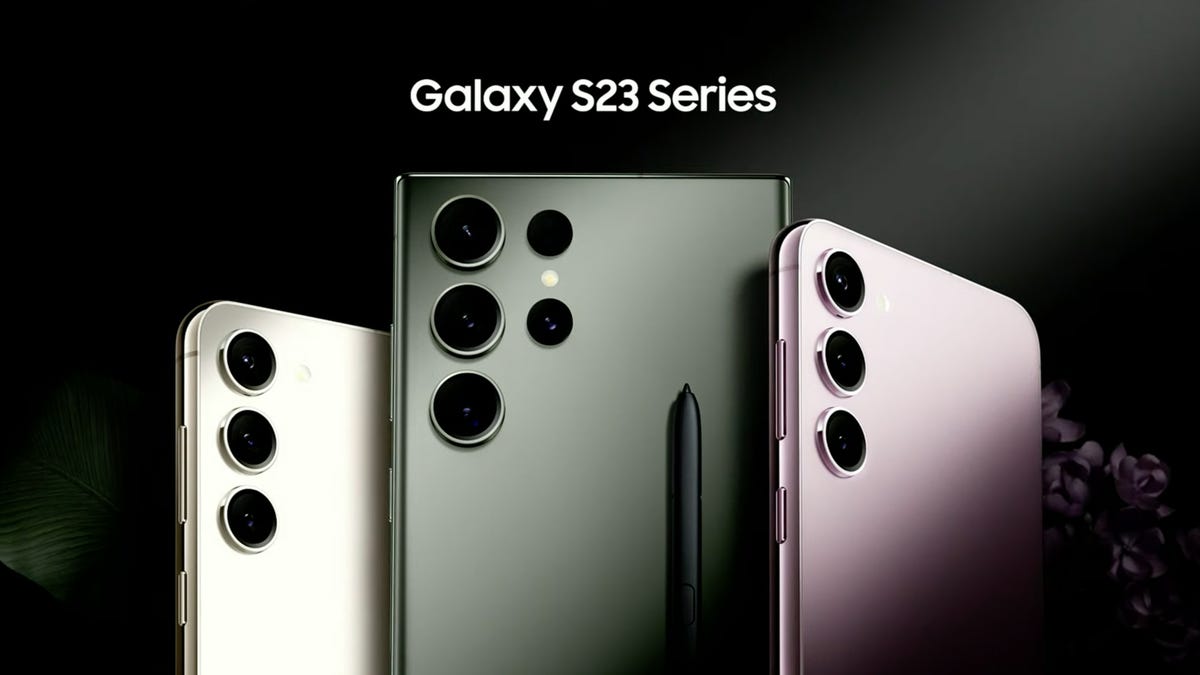
Samsung’s Galaxy S23 Base, Plus, and Ultra: A Spec-By-Spec Comparison of Each Phone

Samsung’s Galaxy S23 Base, Plus, and Ultra: A Spec-By-Spec Comparison of Each Phone

0
Night Court’s Marsha Warfield (And Roz) Are Back and Speak About the Reboot

Night Court’s Marsha Warfield (And Roz) Are Back and Speak About the Reboot

0
Food shortages and strikes by health workers: York in 1974

Food shortages and strikes by health workers: York in 1974

0
Morgan Wallen’s Beach Party Has Room For Nelly, Flo Rida, Ying Yang Twins

Morgan Wallen’s Beach Party Has Room For Nelly, Flo Rida, Ying Yang Twins

2 November 2026
Lagos Fashion Week 2026 Wraps Four Days of African Fashion

Lagos Fashion Week 2026 Wraps Four Days of African Fashion

2 November 2026
This Is the It-Girl Jeans Outfit of November 2026

This Is the It-Girl Jeans Outfit of November 2026

2 November 2026
I’ve used every Android foldable released this year. Here’s how the iPhone Duo stacks up

I’ve used every Android foldable released this year. Here’s how the iPhone Duo stacks up

2 November 2026

Recent News

Morgan Wallen’s Beach Party Has Room For Nelly, Flo Rida, Ying Yang Twins

Morgan Wallen’s Beach Party Has Room For Nelly, Flo Rida, Ying Yang Twins

2 November 2026
Lagos Fashion Week 2026 Wraps Four Days of African Fashion

Lagos Fashion Week 2026 Wraps Four Days of African Fashion

2 November 2026
This Is the It-Girl Jeans Outfit of November 2026

This Is the It-Girl Jeans Outfit of November 2026

2 November 2026
I’ve used every Android foldable released this year. Here’s how the iPhone Duo stacks up

I’ve used every Android foldable released this year. Here’s how the iPhone Duo stacks up

2 November 2026
We use cookies on our website to give you the most relevant experience by remembering your preferences and repeat visits. By clicking “Accept All”, you consent to the use of ALL the cookies. However, you may visit "Cookie Settings" to provide a controlled consent.
Cookie SettingsAccept All
Manage consent

Privacy Overview

This website uses cookies to improve your experience while you navigate through the website. Out of these, the cookies that are categorized as necessary are stored on your browser as they are essential for the working of basic functionalities of the website. We also use third-party cookies that help us analyze and understand how you use this website. These cookies will be stored in your browser only with your consent. You also have the option to opt-out of these cookies. But opting out of some of these cookies may affect your browsing experience.
Necessary
Always Enabled
Necessary cookies are absolutely essential for the website to function properly. These cookies ensure basic functionalities and security features of the website, anonymously.
CookieDurationDescription
cookielawinfo-checkbox-analytics11 monthsThis cookie is set by GDPR Cookie Consent plugin. The cookie is used to store the user consent for the cookies in the category "Analytics".
cookielawinfo-checkbox-functional11 monthsThe cookie is set by GDPR cookie consent to record the user consent for the cookies in the category "Functional".
cookielawinfo-checkbox-necessary11 monthsThis cookie is set by GDPR Cookie Consent plugin. The cookies is used to store the user consent for the cookies in the category "Necessary".
cookielawinfo-checkbox-others11 monthsThis cookie is set by GDPR Cookie Consent plugin. The cookie is used to store the user consent for the cookies in the category "Other.
cookielawinfo-checkbox-performance11 monthsThis cookie is set by GDPR Cookie Consent plugin. The cookie is used to store the user consent for the cookies in the category "Performance".
viewed_cookie_policy11 monthsThe cookie is set by the GDPR Cookie Consent plugin and is used to store whether or not user has consented to the use of cookies. It does not store any personal data.
Functional
Functional cookies help to perform certain functionalities like sharing the content of the website on social media platforms, collect feedbacks, and other third-party features.
Performance
Performance cookies are used to understand and analyze the key performance indexes of the website which helps in delivering a better user experience for the visitors.
Analytics
Analytical cookies are used to understand how visitors interact with the website. These cookies help provide information on metrics the number of visitors, bounce rate, traffic source, etc.
Advertisement
Advertisement cookies are used to provide visitors with relevant ads and marketing campaigns. These cookies track visitors across websites and collect information to provide customized ads.
Others
Other uncategorized cookies are those that are being analyzed and have not been classified into a category as yet.
SAVE & ACCEPT
No Result
View All Result

© 2021 Yorkshire Buzz