





















Philips OLED759 review: Design, connections and control
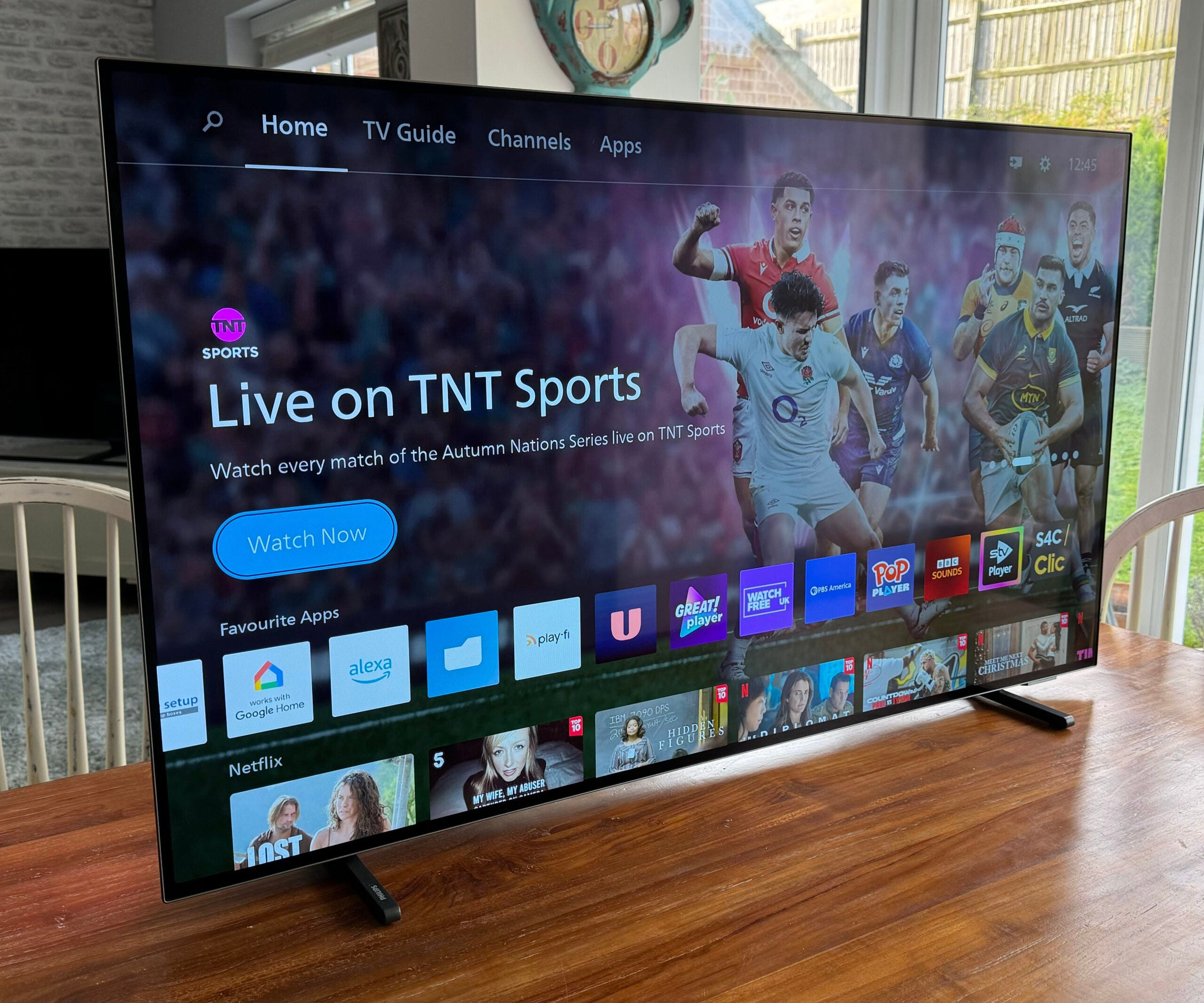
From the front, the OLED759 delivers a striking combination of subtle elegance and colourful exuberance. The subtlety comes from its ‘barely there’ screen frame, together with its pair of blade-style satin chrome feet, while the exuberance comes from Philips’ Ambilight technology.
Ambilight sees bright LEDs arranged around the left, right and top edges of the TV’s rear, throwing coloured light onto your walls. That light can either be a constant single colour of your choosing or can track the positions and tones of different colours in the picture you’re watching. The colours emitted can even compensate for different wall colours.
Even on this relatively affordable Philips OLED TV, Ambilight can be either an eye-catching showboater or a subtle enhancement, depending on the Ambilight settings you choose. I toned down both the brightness and the aggressiveness with which Ambilight responds to changes in content to stop it from becoming distracting. But the tools are provided to make Ambilight pretty much whatever you want it to be.
The OLED759’s rear is a little untidy. At its edges, it’s phenomenally thin – well under a centimetre deep. And these super-slim areas enjoy a lovely polished metal backing plate, too. However, a large portion of the rear panel protrudes way further than the rest, making it slightly cumbersome for hanging on a wall.
Connectivity is excellent, however. All four HDMIs can handle 4K/120Hz gaming graphics, variable refresh rates in both the AMD Freesync and NVidia G-Sync forms and auto low latency mode switching. There’s also support on one HDMI for the eARC/ARC functionality that lets you pass lossless Dolby Atmos sound to eARC-capable soundbars and AVRs.
The HDMI connections are capable of taking in the HDR10, HLG, HDR10+ and Dolby Vision HDR formats, ensuring the TV can always deliver the best available format of any content you play into it. Other connections include two USB-A ports, a Freeview HD tuner input, plus Bluetooth and Wi-Fi wireless support.
You can control the TV using the provided remote control. You can also talk to it, thanks to its built-in Amazon Alexa support and ability to work with external Google Home devices. The remote control looks stylish and features a sensibly stripped back button count, but its edges are a bit sharp and, worse, putting the OSD’s cursor movement buttons in a small diamond-shaped area with a large, sharply raised circular ‘Select’ button at its heart makes pressing each direction key quite uncomfortable.