






Yorkshire Buzz
Advertisement
  • Home
  • News
    • All
    • Business
    • Politics
    • Science
    • World
    Faisal Islam: What the boss of US tech giant Nvidia told me about China and national security

    Faisal Islam: What the boss of US tech giant Nvidia told me about China and national security

    Doncaster remembers seven men who received the Victoria Cross

    Doncaster remembers seven men who received the Victoria Cross

    How much will council tax go up by in Calderdale next year?

    How much will council tax go up by in Calderdale next year?

    Californians reject Prop 40 wealth tax for billionaires

    Californians reject Prop 40 wealth tax for billionaires

    I took Vinted to court to get my money back

    I took Vinted to court to get my money back

    Zoe Kleinman: Nvidia CEO’s affair will cause ripples across US and beyond

    Zoe Kleinman: Nvidia CEO’s affair will cause ripples across US and beyond

    Trending Tags

    • Trump Inauguration
    • White House
  • Tech
    • All
    • Apps
    • Gadget
    • Mobile
    • Startup
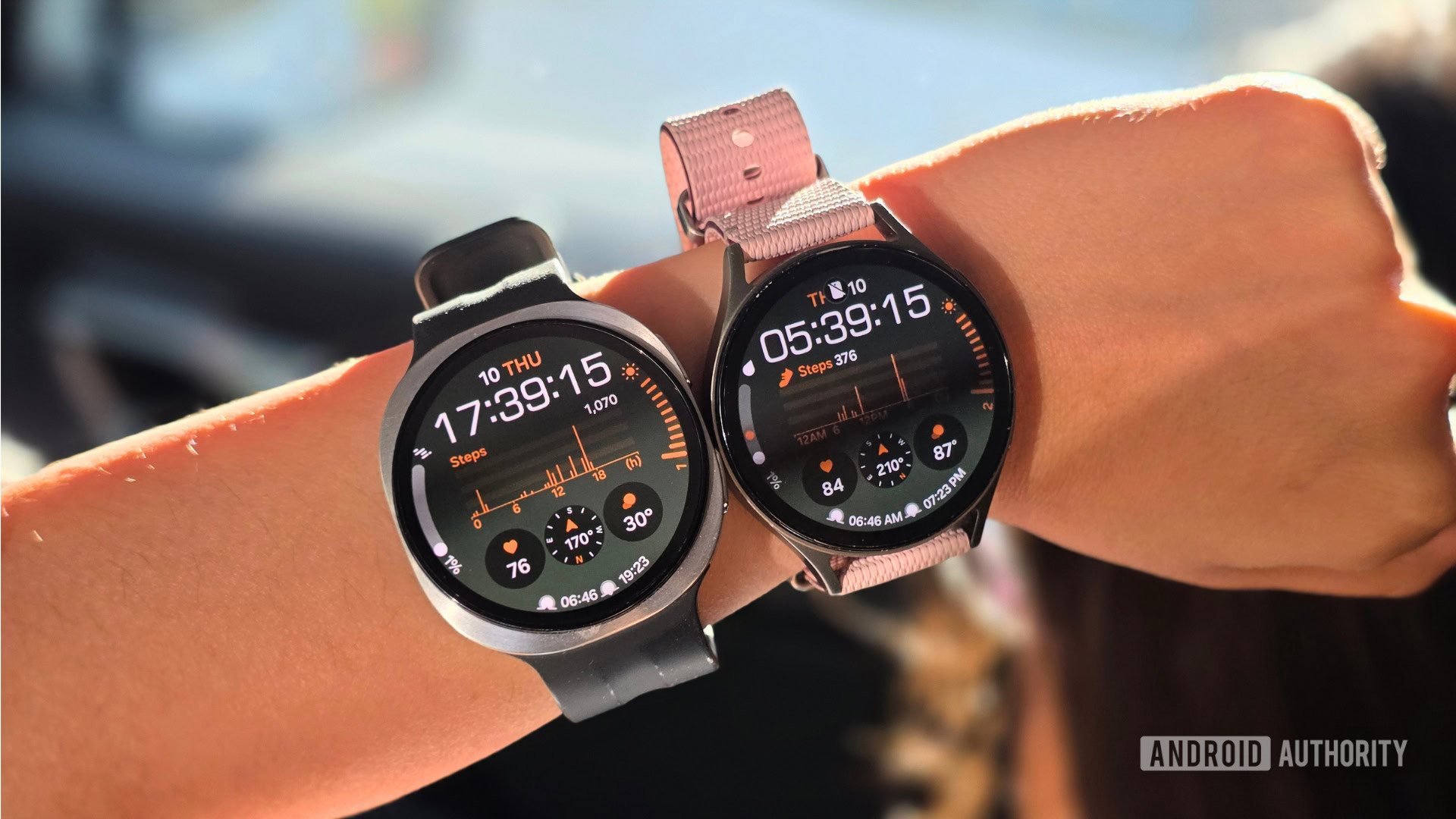
    Galaxy Wearable app reveals exclusive HMG Edition watch faces for Galaxy Watch 9 and Ultra 2

    Galaxy Wearable app reveals exclusive HMG Edition watch faces for Galaxy Watch 9 and Ultra 2

    Google Messages prepares for quick photo and video editing integration

    Google Messages prepares for quick photo and video editing integration

    One UI 9.5 could give Samsung Internet a dedicated desktop mode for DeX users

    One UI 9.5 could give Samsung Internet a dedicated desktop mode for DeX users

    Wendy’s Just Released a Video Game Where You Can Win Fast Food

    Wendy’s Just Released a Video Game Where You Can Win Fast Food

    iPhone Duo vs. Galaxy Z Fold 8 Camera Comparison: Frolicking With Apple’s and Samsung’s Foldables

    iPhone Duo vs. Galaxy Z Fold 8 Camera Comparison: Frolicking With Apple’s and Samsung’s Foldables

    These 5 productivity apps you’ve never heard of deserve a spot on your phone

    These 5 productivity apps you’ve never heard of deserve a spot on your phone

    Trending Tags

    • Nintendo Switch
    • Mark Zuckerberg
  • Entertainment
    • All
    • Gaming
    • Movie
    • Music
    • Sports
    6 Elegant Colour Combinations to Know for Winter 2026

    6 Elegant Colour Combinations to Know for Winter 2026

    Gene Simmons Announces First 2027 Tour Dates

    Gene Simmons Announces First 2027 Tour Dates

    As A Godzilla Megafan, Here’s Why Godzilla Minus Zero Is Better Than Minus One

    As A Godzilla Megafan, Here’s Why Godzilla Minus Zero Is Better Than Minus One

    Arsenal set to complete THREE deals before January: report

    Arsenal set to complete THREE deals before January: report

    Lego Is Teasing A Yoshi Set, But You’ll Have To Wait Until 2027

    Lego Is Teasing A Yoshi Set, But You’ll Have To Wait Until 2027

    Radio on the TV: The Best Films and Series About Life on the Airwaves

    Radio on the TV: The Best Films and Series About Life on the Airwaves

  • Lifestyle
    • All
    • Fashion
    • Food
    • Health
    • Travel
    J. Law Knows This Shoe-and-Jeans Combo Will Elevate Any Look

    J. Law Knows This Shoe-and-Jeans Combo Will Elevate Any Look

    Chocolate Hazelnut Berry Puff Pastry Tart (Easy 2-Step Recipe)

    Chocolate Hazelnut Berry Puff Pastry Tart (Easy 2-Step Recipe)

    TECNO Launches CAMON SLIM at THE SLIM SOIREE in Nigeria

    TECNO Launches CAMON SLIM at THE SLIM SOIREE in Nigeria

    Where to Eat in Manila’s Chinatown

    Where to Eat in Manila’s Chinatown

    The Sweatpants Color Chic Postpartum Moms Are Wearing in L.A.

    The Sweatpants Color Chic Postpartum Moms Are Wearing in L.A.

    National Trade Fair 2026 Generates PHP 128.85 Million in Sales, Showcases Filipino Products

    National Trade Fair 2026 Generates PHP 128.85 Million in Sales, Showcases Filipino Products

    Trending Tags

    • Golden Globes
    • Game of Thrones
    • eSports
  • Review
    Garmin Enduro 4 Review

    Garmin Enduro 4 Review

    Oukitel WP63 rugged phone review

    Oukitel WP63 rugged phone review

    The fastest handheld we’ve tested

    The fastest handheld we’ve tested

    Elegoo M1 Ultra 3D Scanner review

    Elegoo M1 Ultra 3D Scanner review

    Asus Googlebook 14 Review – Trusted Reviews

    Asus Googlebook 14 Review – Trusted Reviews

    Movavi Video Editor 27 review

    Movavi Video Editor 27 review

No Result
View All Result
  • Home
  • News
    • All
    • Business
    • Politics
    • Science
    • World
    Faisal Islam: What the boss of US tech giant Nvidia told me about China and national security

    Faisal Islam: What the boss of US tech giant Nvidia told me about China and national security

    Doncaster remembers seven men who received the Victoria Cross

    Doncaster remembers seven men who received the Victoria Cross

    How much will council tax go up by in Calderdale next year?

    How much will council tax go up by in Calderdale next year?

    Californians reject Prop 40 wealth tax for billionaires

    Californians reject Prop 40 wealth tax for billionaires

    I took Vinted to court to get my money back

    I took Vinted to court to get my money back

    Zoe Kleinman: Nvidia CEO’s affair will cause ripples across US and beyond

    Zoe Kleinman: Nvidia CEO’s affair will cause ripples across US and beyond

    Trending Tags

    • Trump Inauguration
    • White House
  • Tech
    • All
    • Apps
    • Gadget
    • Mobile
    • Startup
    Galaxy Wearable app reveals exclusive HMG Edition watch faces for Galaxy Watch 9 and Ultra 2

    Galaxy Wearable app reveals exclusive HMG Edition watch faces for Galaxy Watch 9 and Ultra 2

    Google Messages prepares for quick photo and video editing integration

    Google Messages prepares for quick photo and video editing integration

    One UI 9.5 could give Samsung Internet a dedicated desktop mode for DeX users

    One UI 9.5 could give Samsung Internet a dedicated desktop mode for DeX users

    Wendy’s Just Released a Video Game Where You Can Win Fast Food

    Wendy’s Just Released a Video Game Where You Can Win Fast Food

    iPhone Duo vs. Galaxy Z Fold 8 Camera Comparison: Frolicking With Apple’s and Samsung’s Foldables

    iPhone Duo vs. Galaxy Z Fold 8 Camera Comparison: Frolicking With Apple’s and Samsung’s Foldables

    These 5 productivity apps you’ve never heard of deserve a spot on your phone

    These 5 productivity apps you’ve never heard of deserve a spot on your phone

    Trending Tags

    • Nintendo Switch
    • Mark Zuckerberg
  • Entertainment
    • All
    • Gaming
    • Movie
    • Music
    • Sports
    6 Elegant Colour Combinations to Know for Winter 2026

    6 Elegant Colour Combinations to Know for Winter 2026

    Gene Simmons Announces First 2027 Tour Dates

    Gene Simmons Announces First 2027 Tour Dates

    As A Godzilla Megafan, Here’s Why Godzilla Minus Zero Is Better Than Minus One

    As A Godzilla Megafan, Here’s Why Godzilla Minus Zero Is Better Than Minus One

    Arsenal set to complete THREE deals before January: report

    Arsenal set to complete THREE deals before January: report

    Lego Is Teasing A Yoshi Set, But You’ll Have To Wait Until 2027

    Lego Is Teasing A Yoshi Set, But You’ll Have To Wait Until 2027

    Radio on the TV: The Best Films and Series About Life on the Airwaves

    Radio on the TV: The Best Films and Series About Life on the Airwaves

  • Lifestyle
    • All
    • Fashion
    • Food
    • Health
    • Travel
    J. Law Knows This Shoe-and-Jeans Combo Will Elevate Any Look

    J. Law Knows This Shoe-and-Jeans Combo Will Elevate Any Look

    Chocolate Hazelnut Berry Puff Pastry Tart (Easy 2-Step Recipe)

    Chocolate Hazelnut Berry Puff Pastry Tart (Easy 2-Step Recipe)

    TECNO Launches CAMON SLIM at THE SLIM SOIREE in Nigeria

    TECNO Launches CAMON SLIM at THE SLIM SOIREE in Nigeria

    Where to Eat in Manila’s Chinatown

    Where to Eat in Manila’s Chinatown

    The Sweatpants Color Chic Postpartum Moms Are Wearing in L.A.

    The Sweatpants Color Chic Postpartum Moms Are Wearing in L.A.

    National Trade Fair 2026 Generates PHP 128.85 Million in Sales, Showcases Filipino Products

    National Trade Fair 2026 Generates PHP 128.85 Million in Sales, Showcases Filipino Products

    Trending Tags

    • Golden Globes
    • Game of Thrones
    • eSports
  • Review
    Garmin Enduro 4 Review

    Garmin Enduro 4 Review

    Oukitel WP63 rugged phone review

    Oukitel WP63 rugged phone review

    The fastest handheld we’ve tested

    The fastest handheld we’ve tested

    Elegoo M1 Ultra 3D Scanner review

    Elegoo M1 Ultra 3D Scanner review

    Asus Googlebook 14 Review – Trusted Reviews

    Asus Googlebook 14 Review – Trusted Reviews

    Movavi Video Editor 27 review

    Movavi Video Editor 27 review

No Result
View All Result
Yorkshire Buzz
No Result
View All Result
Home Tech Apps

iOS 17.4 Is Out, but Don’t Miss These iOS 17.2 Features

by Yorkshire Buzz
1 April 2024
in Apps
0
iOS 17.4 Is Out, but Don’t Miss These iOS 17.2 Features
0
SHARES
9
VIEWS
Share on FacebookShare on Twitter


Apple released iOS 17.4 on March 5, with a few new features, like more Stolen Device Protection settings, but the tech giant’s release of iOS 17.2 was packed with new things you may have missed. The update was released in December and came with over a dozen new and useful features, like the long-awaited Journal app and Contact Key Verification. It also has fun features like the ability to react to messages with Live Stickers. 

Read more: Why You Should Really Download iOS 17.4.1 Right Now

CNET Tech Tips logo

Here are the features you may have missed in iOS 17.2.

The Journal app

Apple finally released the Journal app with iOS 17.2. The tech giant announced the app at the company’s Worldwide Developers Conference event in June alongside iOS 17, but it was absent from the update’s launch on Sept. 18.

Apple said at WWDC that the app uses on-device machine learning to create personalized writing suggestions. Some of these suggestions are created using information on your iPhone, like photos you’ve taken and music and podcasts you’ve listened to throughout the day. If you forget what podcast you listened to earlier in the day — like I regularly do — the app shows you that information when you go to make an entry.
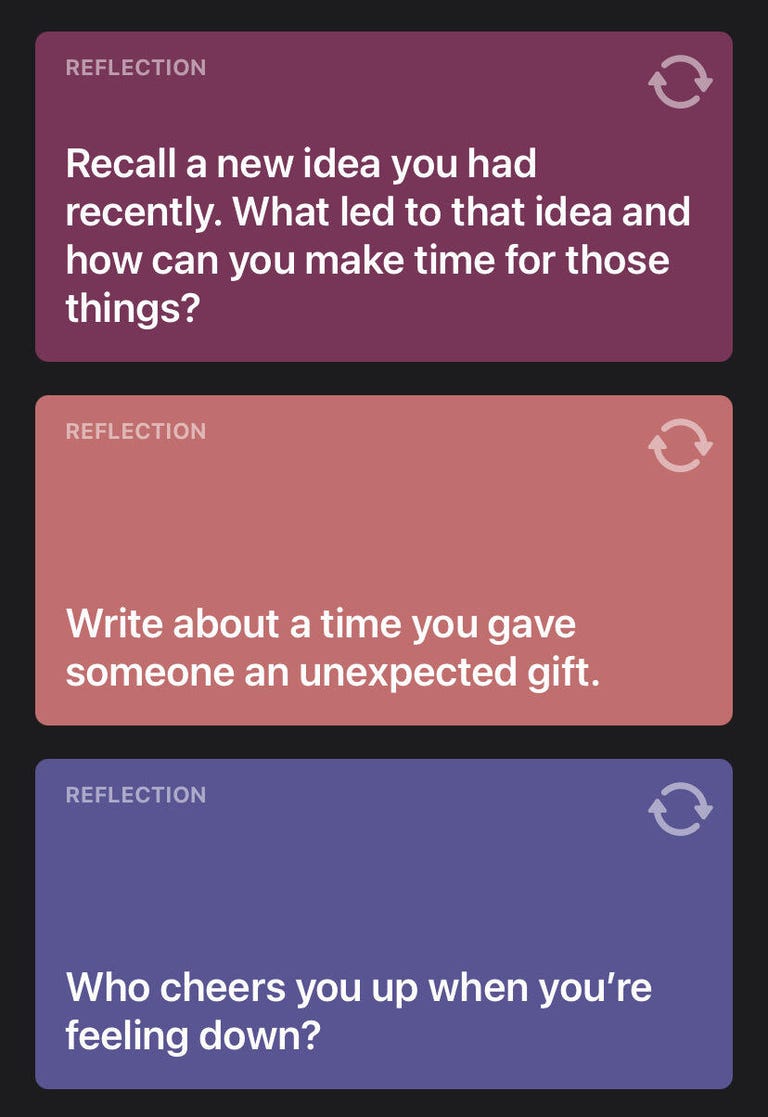
Reflections in the Journal app

Journal shows you multiple Reflections at a time by default.

Screenshot by Zach McAuliffe/CNET

The app also shows you a handful of topics to write about, called Reflections. Some of mine included, “Write about a time you gave someone an unexpected gift,” and “Who cheers you up when you’re feeling down?”

If you don’t want to write about whatever you listened to or use a Reflection, you can just write by tapping the New Entry button. In New Entry, you can write whatever you want, create a voice note, take a photo or create a video to add to your journal entry. 

You can also lock the app after it’s closed for a set amount of time for some privacy. If you close the app and don’t reopen it for a certain amount of time (like five minutes) it will ask for your Face ID or passcode to open it again.

Read more: What to Know About the Journal App

Contact Key Verification in Messages

Apple announced Contact Key Verification in December 2022, and the security feature finally appeared in iOS 17.2. 

“With iMessage Contact Key Verification, users who face extraordinary digital threats — such as journalists, human rights activists and members of government — can choose to further verify that they are messaging only with the people they intend,” Apple said in a news release last year.

Apple wrote that many people won’t be the target of a cyberattack, but Contact Key Verification gives people who might be a target an additional security layer. 

Read more: How to Enable Contact Key Verification on Your iPhone

React with Live Stickers

A text showing a picture of a dog

This is how you react to a text with a Live Sticker, but honestly, the heart reaction would suffice in this instance.

Screenshot by Zach McAuliffe/CNET

Live Stickers is a new feature Apple introduced in iOS 17 at launch. The feature lets you create your own stickers from pictures you’ve taken. In iOS 17.2, you can react to texts in Messages with your Live Stickers. To react with a Live Sticker, long-press on a text like you would to add a reaction, then tap Add Sticker in the dropdown menu to pull up your stickers. 

New Apple Music settings

If you subscribe to Apple Music (which costs $11 a month) iOS 17.2 lets you automatically add songs you’ve favorited to your library. If you don’t like this, you can turn the setting off by going to Settings > Music and tapping the toggle next to Add Favorite Songs.

More Memoji customization

In iOS 17.2, there’s a new menu in the Memoji editor called Body that lets you edit the appearance of your Memoji’s body. You can adjust your Memoji’s waist, bust, shoulders and arms in this menu. Only three options are available in each of these sections at this time, so Memoji isn’t a full-on character creator menu as you’d see in a video game.

Change your default notification sounds and haptics

In iOS 17.2, Apple allows you to change the default notification sound. This is the first time Apple has allowed iPhone users to change the default notification sound. To change this sound, go to Settings > Sounds & Haptics > Default Alerts, and you’ll be able to select new and classic tones.

In the Default Alerts menu, you can also change your haptics by tapping Haptics near the top of the page. Here you can choose between a handful of haptic patterns, and you can create a custom haptic by tapping Create New Vibration. 

Read more: Change Your iPhone’s Default Alert Tone With These 3 Easy Steps

Photos and Apple Music working together

If you go into the Photos app after updating to iOS 17.2, Photos will ask permission to access your Apple Music library. The screen says it will use songs from your library to curate songs for your Memories.  

AppleCare and Warranty menu

In iOS 17.2, if you go to Settings > General you’ll see a new option called AppleCare and Warranty. If you tap into this option, you’ll see all of your devices that are or aren’t covered under AppleCare or a warranty. In previous betas, this option was called Coverage.

Catch-up arrow in Messages

A new feature in iOS 17.2 can help you understand what’s happening in a texting group or if someone sends you a lot of messages. The beta brings the catch-up arrow back to Messages, so if you wake from a nap with a lot of messages, you can jump to the beginning of the new messages and follow the drama for context.

The catch-up arrow was in some early iOS 17 betas, but it has been absent since. 

New options for sharing Contact Posters

In iOS 17.2, you can now share your Contact Poster through Phone and FaceTime. If you go to Settings and either Phone or FaceTime, you will see an option called Share Name and Photo. Tap this and you can select whether to automatically share your Contact Poster with your contacts or whether to require your phone to always ask before sharing. This feature was only in Message before. 

iPhone 15 Pro action button updated

Action button on the iPhone 15 Pro Max

Apple replaced the mute switch on the side of the iPhone 15 Pro with the action button.

Nelson Aguilar/CNET

With iOS 17.2, the iPhone 15 Pro’s action button now has a translate function. The new function allows you to quickly translate phrases or have a conversation with someone in another language.

Sharing content between your iPhone and Apple Vision Pro

Apple announced its Vision Pro headset at WWDC in June. While you can’t buy the Vision Pro yet — Apple plans for the headset to be available in the US in early 2024 — iOS 17.2 introduces a setting to allow your iPhone to work as an additional screen for it.

The setting is called AirPlay Receiver and can be found under AirPlay & Handoff in Settings. Apple writes that AirPlay Receiver allows you to stream or share content from your Vision Pro headset to your iPhone. 

Spatial Video recording for the iPhone 15 Pro and Pro Max

A new feature in iOS 17.2 allows iPhone 15 Pro and Pro Max users to record Spatial Video. This feature will allow the video to be viewed in 3D on the upcoming Vision Pro headset. Spatial Videos can also be viewed in the Photos app as normal videos.

Disable inline predictions on your keyboard

Keyboards option with Show Predictions Inline outlined in red

If the gray words are annoying, you can now cancel them.

Screenshot by Zach McAuliffe/CNET

Have you ever been typing a text in Messages and suddenly a gray word appears in front of your cursor? This is called inline text predictions, and if you’ve ever been confused or annoyed by this feature, iOS 17.2 introduces the ability to turn it off. 

Read more: Here’s How to Disable Inline Text Predictions on Your iPhone

More Sensitive Content Warnings

Sensitive Content Warnings were introduced in iOS 17 and blur out images and videos that show up in certain Apple services and that might contain nudity. With iOS 17.2, these warnings have been expanded to include live stickers and contact posters that might include nudity.

Read more: How to Easily Block Unsolicited Nudes On Your iPhone 

More Siri requests

In iOS 17.2, you can ask Siri a few new questions, like what your altitude is and what’s your estimated arrival time if you’re using the voice assistant for directions. 

Siri responding that a person's altitude is 919 feet above sea level

I’m about 919 feet above sea level, according to Siri.

Screenshot by Zach McAuliffe/CNET

Updated Weather widget and app

In previous iOS versions, you’d have three options for a Weather widget: a small tile, a medium tile bar and a large tile that took up half your screen. All showed the current weather conditions in more detail as they went up in size. 

With iOS 17.2, you have six widgets to choose from. The first three are the original small, medium and large tiles. The three new widgets are all the same size as the small tile, but show more details for the day. 

One tile shows the current condition, precipitation, UV index, wind levels and air quality index. Another tile shows the current conditions plus the expected conditions for the next four days. The final new tile shows when you can expect the sunrise and sunset.

The app also has a few new features, like an interactive moon calendar, the amount of rain for your area over time, and wind speed and direction. The updated Weather app is like having your own meteorologist in your pocket.

New digital clock widget

In iOS 17.2, the clock widget gets an update as well. The widget now gives you the option for a digital clock to easily read the time. 

The clock widget showing 2:42 and the Weather widget showing the forecast for Denver

The new digital clock widget is easier to read, and the new weather widget packs more information in a small package.

Screenshot by Zach McAuliffe/CNET

News app supports Live Activities

The News app also gets an update in iOS 17.2. Now, you can enable Live Activities for the app, so you can follow news events, like elections, as they happen on Live Activity-enabled iPhones.

Apple TV app updated

The Apple TV app also gets an update with iOS 17.2. If you open the app and tap Store in the bottom menu, you’ll see the Movies and TV Shows sectionsacross the top of your screenare gone.

Local Awareness option in Emergency Alerts
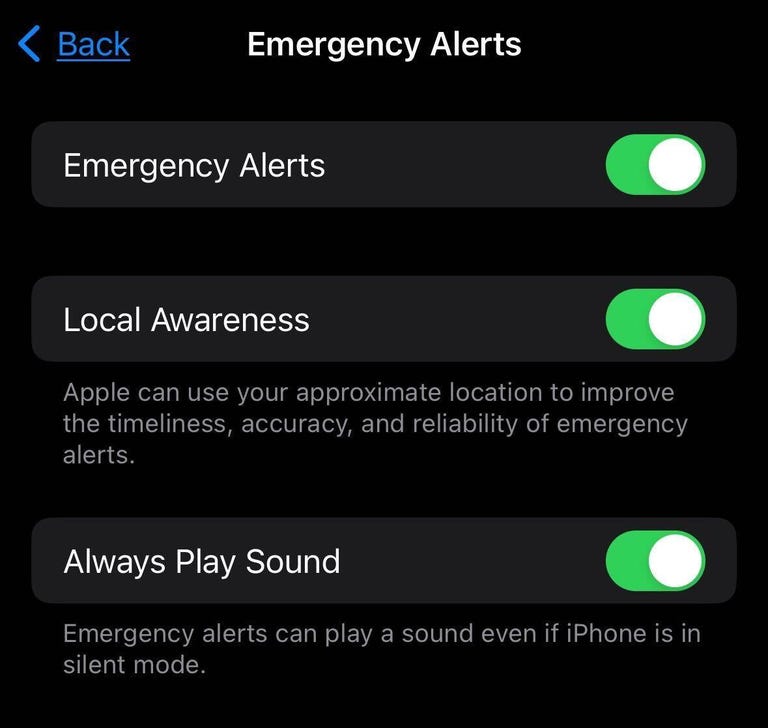
Emergency Alerts menu in iOS 17.2 beta 1

Local Awareness aims to improve the Emergency Alerts you receive.

Screenshot by Zach McAuliffe/CNET

With iOS 17.1, there’s a new option in the Emergency Alerts menu called Local Awareness. Apple writes that if you enable this option, it uses your approximate location to improve the accuracy, timeliness and reliability of emergency alerts you receive. 

More Contact Poster customization options

Contact Posters is another new feature Apple introduced with iOS 17. With iOS 17.2, you can customize your Contact Posters even more by giving you the option to give a contact poster rainbow-colored text. 

Here are the full release notes for iOS 17.2:

About This Update

Journal

Journal is a new app that lets you write about the small moments and big events in your life so you can practice gratitude and improve your wellbeing.

Journaling suggestions make it easy to remember your experiences by intelligently grouping your outings, photos, workouts, and more into moments you can add to your journal.

Filters let you quickly find bookmarked entries or show entries with attachments so you can revisit and reflect on key moments in your life.

Scheduled notifications help you keep a consistent journaling practice by reminding you to write on the days and time you choose.

Option to lock your journal using Touch ID or Face ID.

iCloud sync keeps your journal entries safe and encrypted on iCloud.

Action Button

Translate option for the Action button on iPhone 15 Pro and iPhone 15 Pro Max to quickly translate phrases or have a conversation with someone in another language.

Camera

Spatial video lets you capture video on iPhone 15 Pro and iPhone 15 Pro Max so you can relive your memories in three dimensions on Apple Vision Pro.

Improved Telephoto camera focusing speed when capturing small faraway objects on iPhone 15 Pro and iPhone 15 Pro Max.

Messages

Catch-up arrow lets you easily jump to your first unread message in a conversation by tapping the arrow visible in the top-right corner.

Add sticker option in the context menu lets you add a sticker directly to a bubble.

Memoji updates include the ability to adjust the body shape of any Memoji.

Contact Key Verification provides automatic alerts and Contact Verification Codes to help verify people facing extraordinary digital threats are messaging only with the people they intend.

Weather

Precipitation amounts help you stay on top of rain and snow conditions for a given day over the next 10 days.

New widgets let you choose from next-hour precipitation, daily forecast, sunrise and sunset times, and current conditions such as Air Quality, Feels Like and wind speed.

Wind map snapshot helps you quickly assess wind patterns and access the animated wind map overlay to prepare for forecasted wind conditions for the next 24 hours.

Interactive moon calendar lets you easily visualize the phase of the moon on any day for the next month.

This update also includes the following improvements and bug fixes:

Siri support for privately accessing and logging Health app data using your voice.

AirDrop improvements including expanded contact sharing options and the ability to share boarding passes, movie tickets, and other eligible passes by bringing two iPhones together.

Favorite Songs Playlist in Apple Music lets you quickly get back to the songs you mark as favorites.

Use Listening History in Apple Music can be disabled in a Focus so music you listen to does not appear in Recently Played or influence your recommendations.

A new Digital Clock Widget lets you quickly catch a glimpse of the time on your Home Screen and while in StandBy.

Enhanced AutoFill identifies fields in PDFs and other forms enabling you to populate them with information such as names and addresses from your contacts.

New keyboard layouts provide support for 8 Sámi languages.

Sensitive Content Warning for stickers in Messages prevents you from being unexpectedly shown a sticker containing nudity.

Qi2 charger support for all iPhone 13 models and iPhone 14 models.

Fixes an issue that may prevent wireless charging in certain vehicles.

Some features may not be available for all regions or on all Apple devices. For information on the security content of Apple software updates, please visit this website:

https://support.apple.com/kb/HT201222

17 Hidden iOS 17 Features You Should Definitely Know About

See all photos

For more Apple news, here’s why you should download iOS 17.4.1 now, what was included in iOS 17.4 and our iOS 17 cheat sheet.
Watch this: Apple to Talk AI in June: This WWDC Is a Big Deal

07:23


Source link

Tags: dontFeaturesios
Previous Post

A Haunted Discord Server Is the Last Good Place Online

Next Post

Luke Pearson jailed for burglary and shoplifting

Yorkshire Buzz

Next Post
Luke Pearson jailed for burglary and shoplifting

Luke Pearson jailed for burglary and shoplifting

Leave a Reply Cancel reply

Your email address will not be published. Required fields are marked *

  • Trending
  • Comments
  • Latest
George McEachran: Chesterfield sign ex-Grimsby midfielder

George McEachran: Chesterfield sign ex-Grimsby midfielder

24 June 2026
Ticket prices set to rise by 15p as Heathrow able to recover runway project money

Ticket prices set to rise by 15p as Heathrow able to recover runway project money

29 July 2026
Best Minecraft seeds 2026 – updated for 26.1

Best Minecraft seeds 2026 – updated for 26.1

24 May 2026
All Of Beth Dutton’s Scars, Explained

All Of Beth Dutton’s Scars, Explained

23 May 2026
Doctor Who’s Christmas Special Features The Coolest Teletubbies Connection Yet, And I’m Still Shocked

Doctor Who’s Christmas Special Features The Coolest Teletubbies Connection Yet, And I’m Still Shocked

0
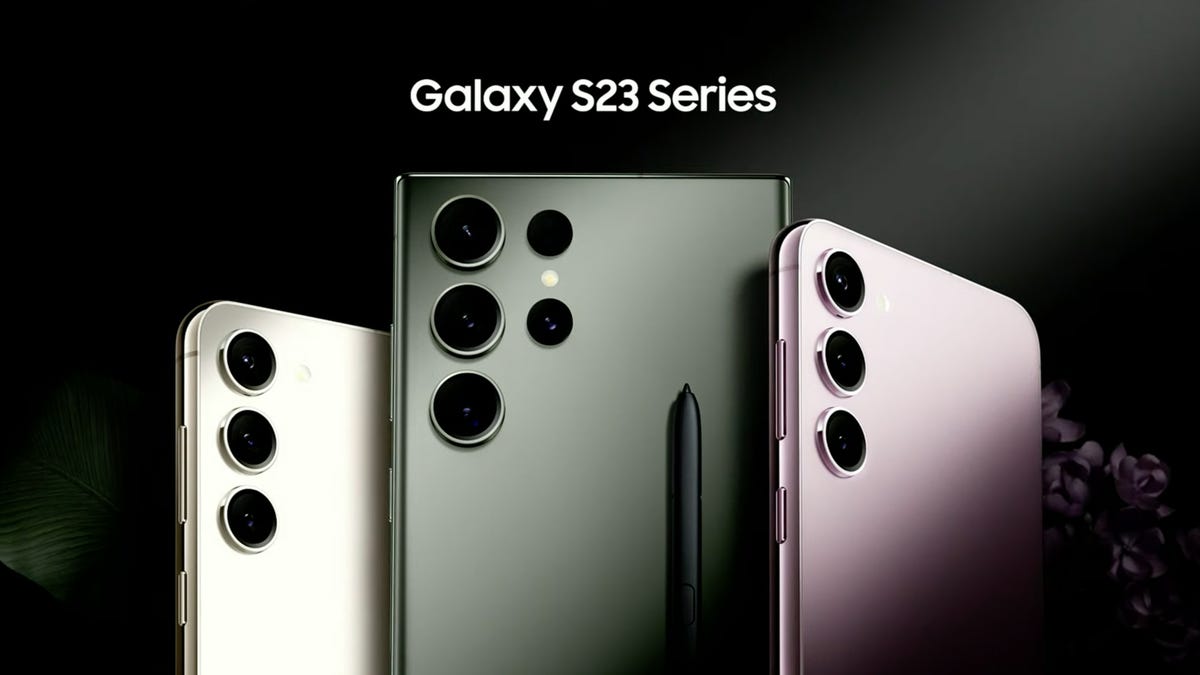
Samsung’s Galaxy S23 Base, Plus, and Ultra: A Spec-By-Spec Comparison of Each Phone

Samsung’s Galaxy S23 Base, Plus, and Ultra: A Spec-By-Spec Comparison of Each Phone

0
Night Court’s Marsha Warfield (And Roz) Are Back and Speak About the Reboot

Night Court’s Marsha Warfield (And Roz) Are Back and Speak About the Reboot

0
Food shortages and strikes by health workers: York in 1974

Food shortages and strikes by health workers: York in 1974

0
Further murder arrest over man’s attack death in Leeds

Further murder arrest over man’s attack death in Leeds

10 November 2026
J. Law Knows This Shoe-and-Jeans Combo Will Elevate Any Look

J. Law Knows This Shoe-and-Jeans Combo Will Elevate Any Look

10 November 2026
Chocolate Hazelnut Berry Puff Pastry Tart (Easy 2-Step Recipe)

Chocolate Hazelnut Berry Puff Pastry Tart (Easy 2-Step Recipe)

10 November 2026
Faisal Islam: What the boss of US tech giant Nvidia told me about China and national security

Faisal Islam: What the boss of US tech giant Nvidia told me about China and national security

10 November 2026

Recent News

Further murder arrest over man’s attack death in Leeds

Further murder arrest over man’s attack death in Leeds

10 November 2026
J. Law Knows This Shoe-and-Jeans Combo Will Elevate Any Look

J. Law Knows This Shoe-and-Jeans Combo Will Elevate Any Look

10 November 2026
Chocolate Hazelnut Berry Puff Pastry Tart (Easy 2-Step Recipe)

Chocolate Hazelnut Berry Puff Pastry Tart (Easy 2-Step Recipe)

10 November 2026
Faisal Islam: What the boss of US tech giant Nvidia told me about China and national security

Faisal Islam: What the boss of US tech giant Nvidia told me about China and national security

10 November 2026
We use cookies on our website to give you the most relevant experience by remembering your preferences and repeat visits. By clicking “Accept All”, you consent to the use of ALL the cookies. However, you may visit "Cookie Settings" to provide a controlled consent.
Cookie SettingsAccept All
Manage consent

Privacy Overview

This website uses cookies to improve your experience while you navigate through the website. Out of these, the cookies that are categorized as necessary are stored on your browser as they are essential for the working of basic functionalities of the website. We also use third-party cookies that help us analyze and understand how you use this website. These cookies will be stored in your browser only with your consent. You also have the option to opt-out of these cookies. But opting out of some of these cookies may affect your browsing experience.
Necessary
Always Enabled
Necessary cookies are absolutely essential for the website to function properly. These cookies ensure basic functionalities and security features of the website, anonymously.
CookieDurationDescription
cookielawinfo-checkbox-analytics11 monthsThis cookie is set by GDPR Cookie Consent plugin. The cookie is used to store the user consent for the cookies in the category "Analytics".
cookielawinfo-checkbox-functional11 monthsThe cookie is set by GDPR cookie consent to record the user consent for the cookies in the category "Functional".
cookielawinfo-checkbox-necessary11 monthsThis cookie is set by GDPR Cookie Consent plugin. The cookies is used to store the user consent for the cookies in the category "Necessary".
cookielawinfo-checkbox-others11 monthsThis cookie is set by GDPR Cookie Consent plugin. The cookie is used to store the user consent for the cookies in the category "Other.
cookielawinfo-checkbox-performance11 monthsThis cookie is set by GDPR Cookie Consent plugin. The cookie is used to store the user consent for the cookies in the category "Performance".
viewed_cookie_policy11 monthsThe cookie is set by the GDPR Cookie Consent plugin and is used to store whether or not user has consented to the use of cookies. It does not store any personal data.
Functional
Functional cookies help to perform certain functionalities like sharing the content of the website on social media platforms, collect feedbacks, and other third-party features.
Performance
Performance cookies are used to understand and analyze the key performance indexes of the website which helps in delivering a better user experience for the visitors.
Analytics
Analytical cookies are used to understand how visitors interact with the website. These cookies help provide information on metrics the number of visitors, bounce rate, traffic source, etc.
Advertisement
Advertisement cookies are used to provide visitors with relevant ads and marketing campaigns. These cookies track visitors across websites and collect information to provide customized ads.
Others
Other uncategorized cookies are those that are being analyzed and have not been classified into a category as yet.
SAVE & ACCEPT
No Result
View All Result

© 2021 Yorkshire Buzz